WordPress Post View Analytics
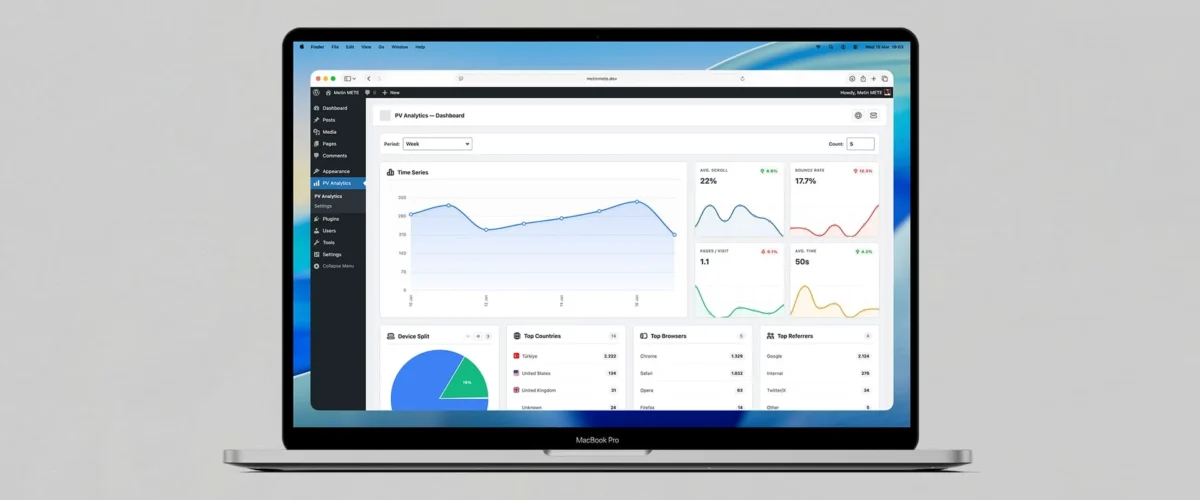
WordPress Post View Analytics is an advanced analytics plugin. First, it counts post views on your WordPress site. In addition, it collects engagement signals like engagement time and scroll depth. This means you can evaluate content performance meaningfully.
Instead of stopping at “how many views?”, the plugin classifies each view by dimensions like device type, browser, country (GeoIP), and referrer source. This helps you make better decisions for your content strategy, SEO, and UX improvements.
Key capabilities
1) Automatic view counter + real-time updates
- The plugin displays the counter in a standard format or in an abbreviated K/M/B format.
- PV Analytics shows the counter in a standard format or as K/M/B abbreviations.
2) Engagement analytics: time + scroll
- The plugin tracks how long a visitor stays on the page and how far they scroll.
- PV Analytics uses these metrics in admin summaries and popular content lists.
3) Admin Dashboard: track performance in one place
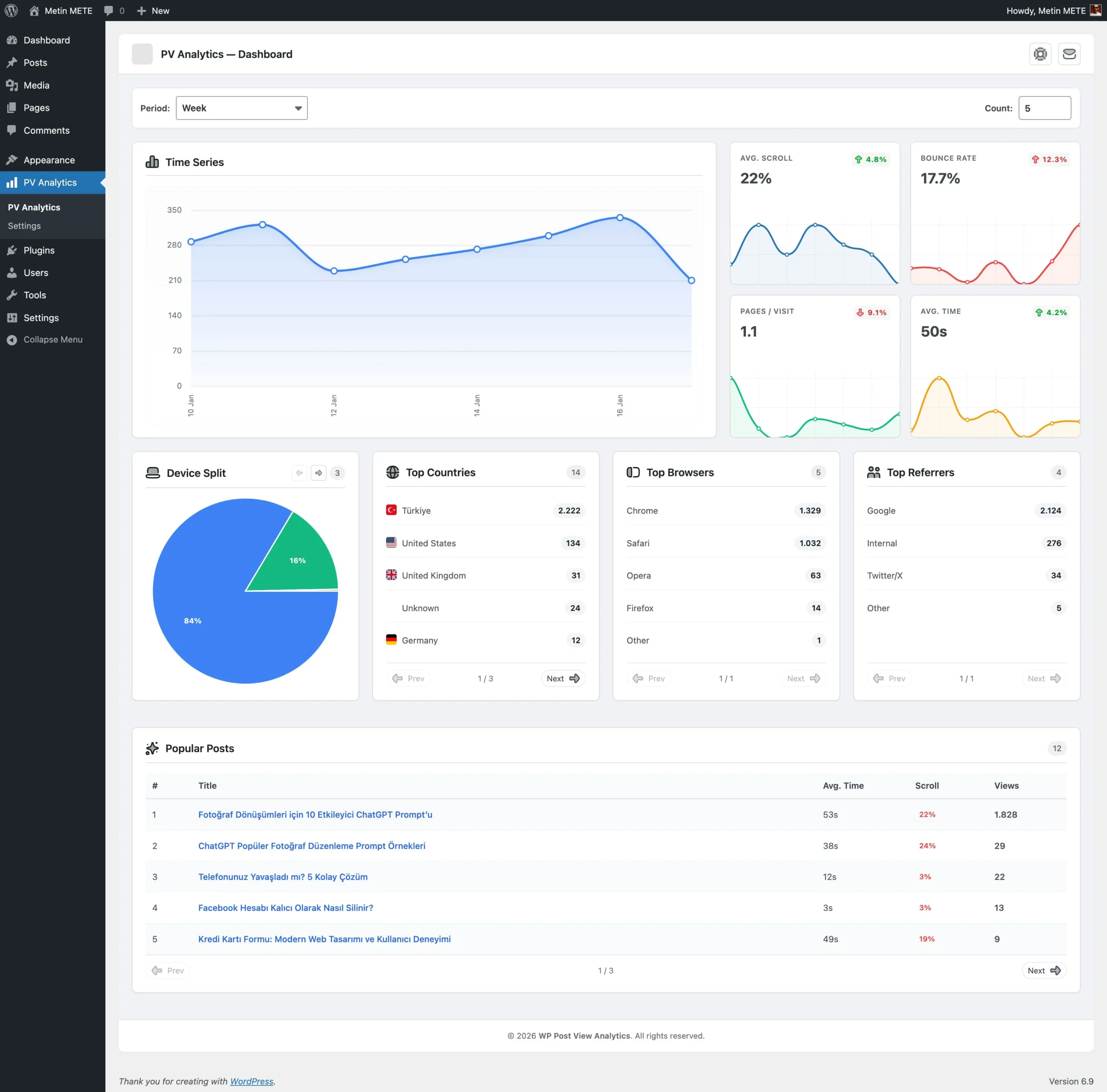
Under the PV Analytics menu in the WordPress admin area, you get:
- Time Series charts
- Device Split (mobile/tablet/desktop, etc.)
- Top Countries (by country code)
- Top Browsers (browser distribution)
- Top Referrers (traffic sources / referrers)
- Popular Posts list (views + avg engagement + avg scroll metrics)
You can also switch date ranges (e.g., today/week/month/all time) to quickly understand trends.
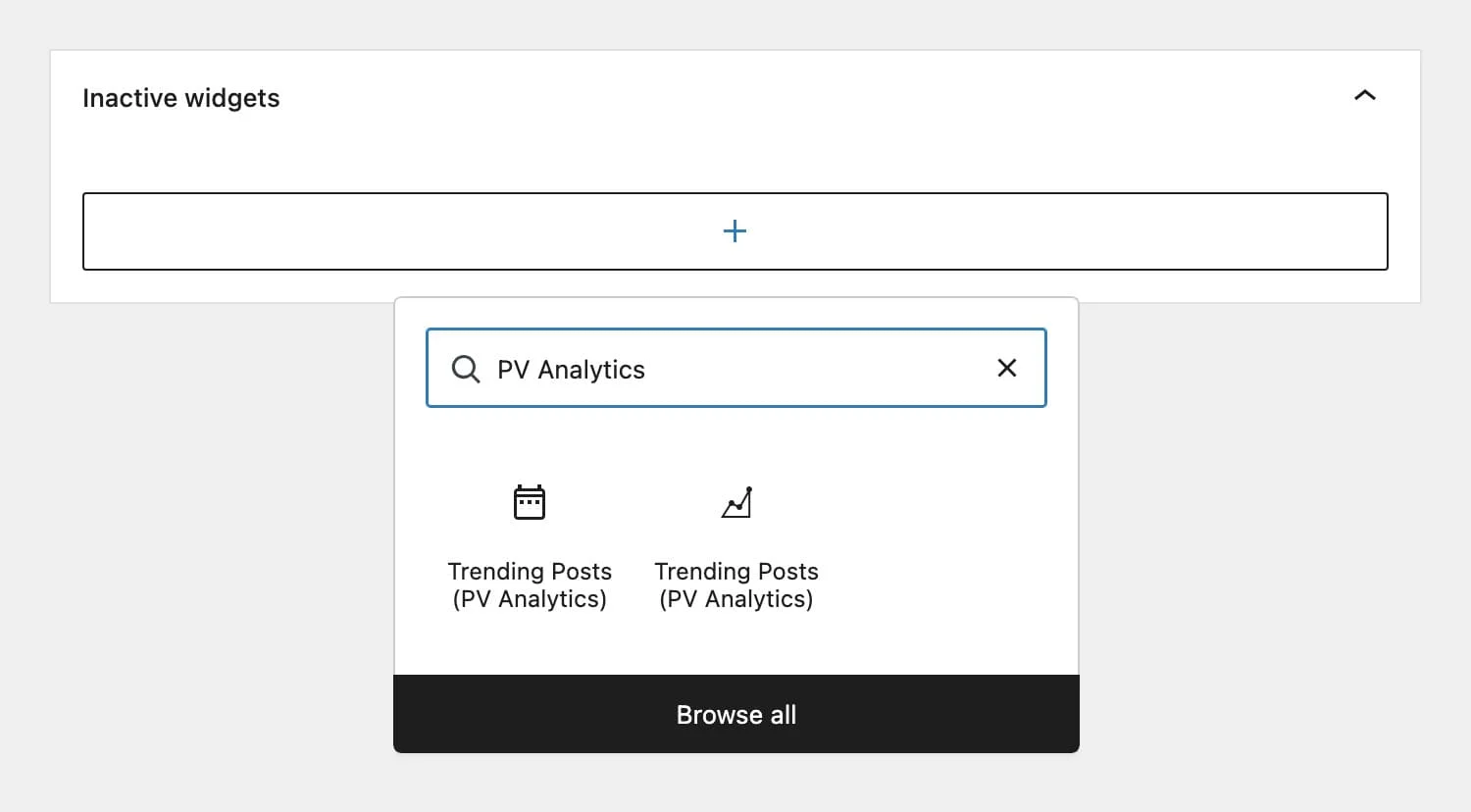
4) Trending Posts module (Widget + Gutenberg Block + Shortcode)
To showcase your most-read content to visitors:
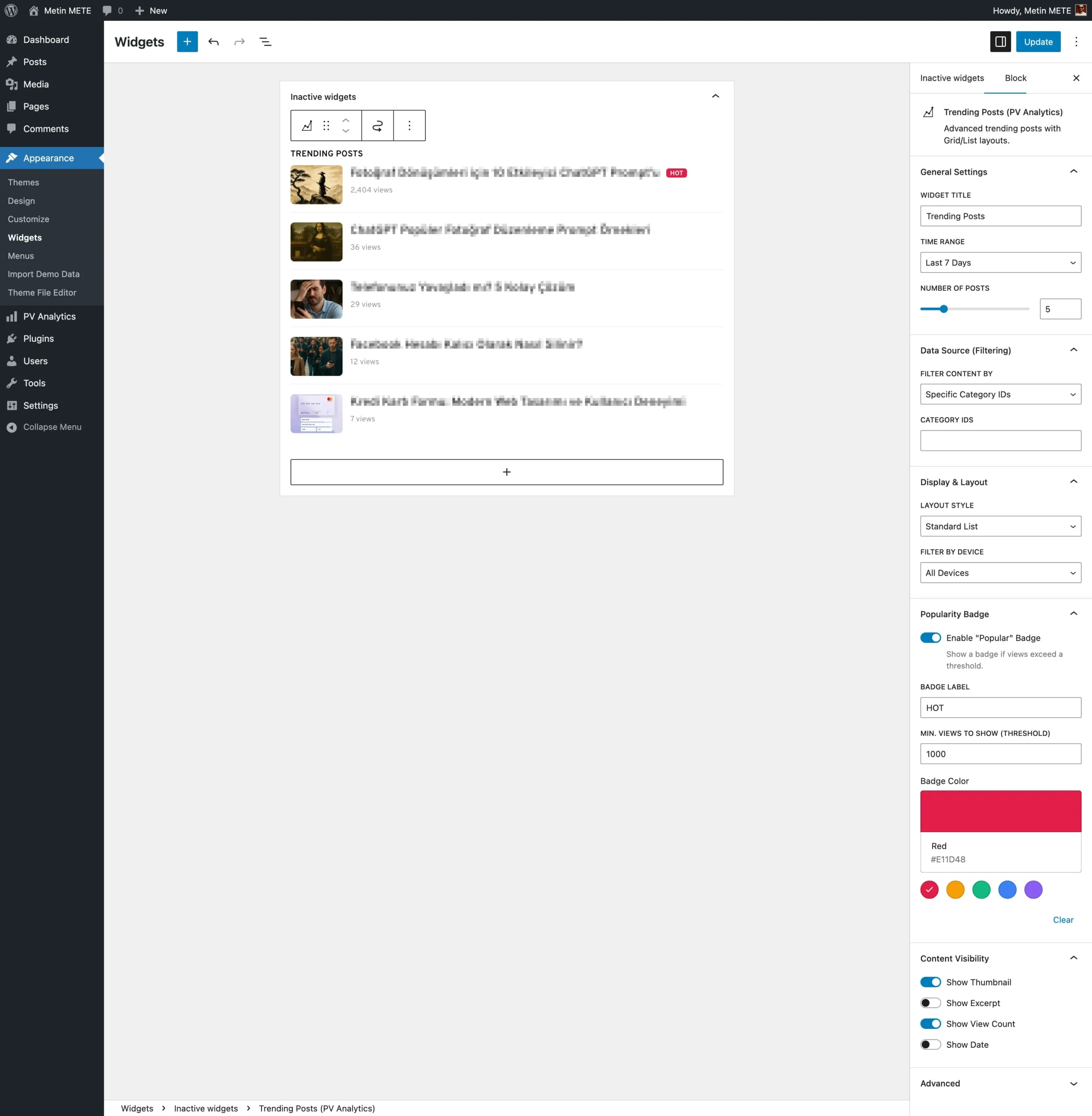
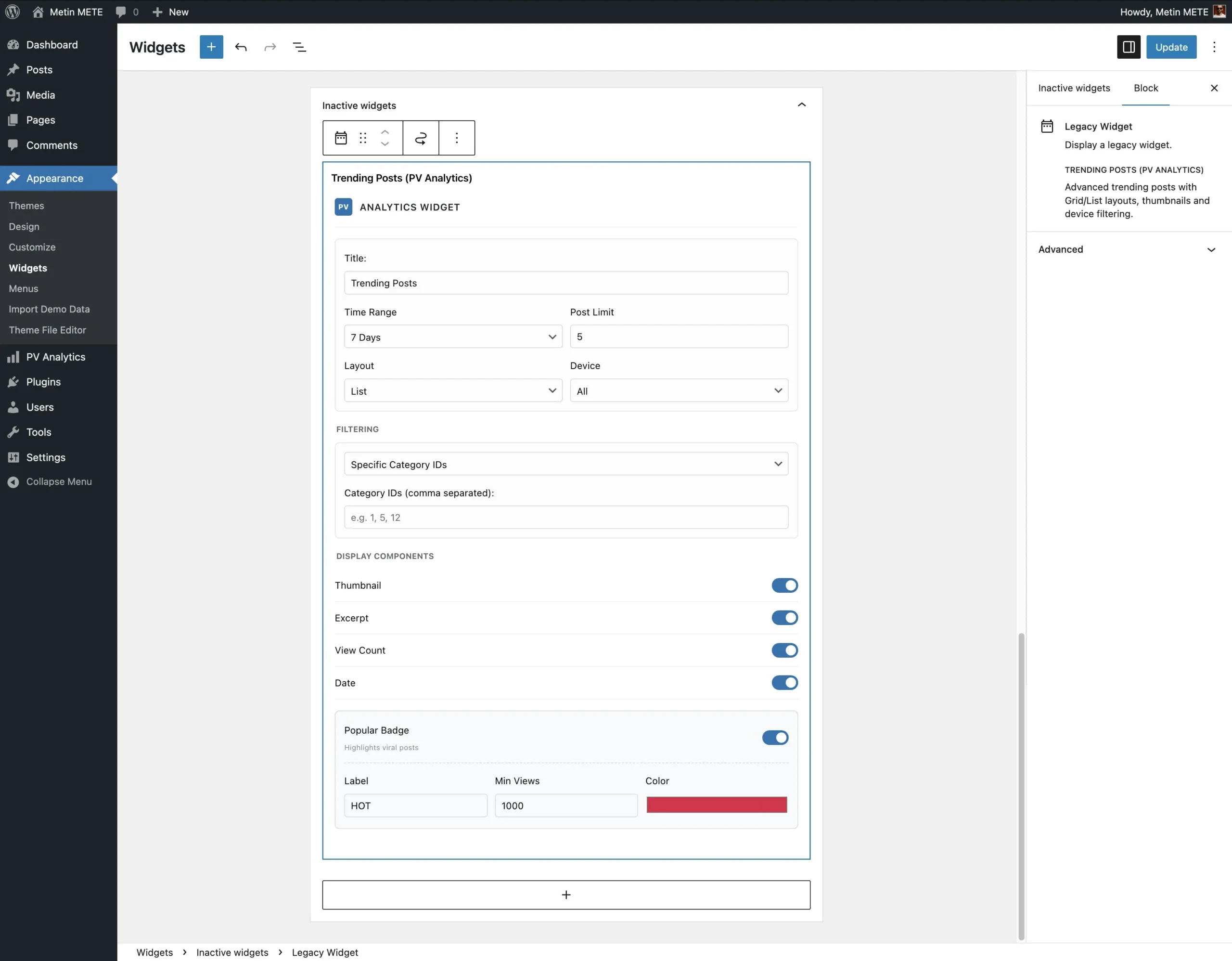
- Trending Posts Widget: List/Grid/Mini layout options
- Optional: thumbnail, excerpt, meta/date
- “HOT” badge: configurable threshold, label, and color
- Filters: device type (all/mobile/tablet/desktop) and category (specific categories / current category)
- Gutenberg Block (server-side render): same logic available as a block
- Shortcode: a quick way to embed a trending list
5) Counter placement and styling
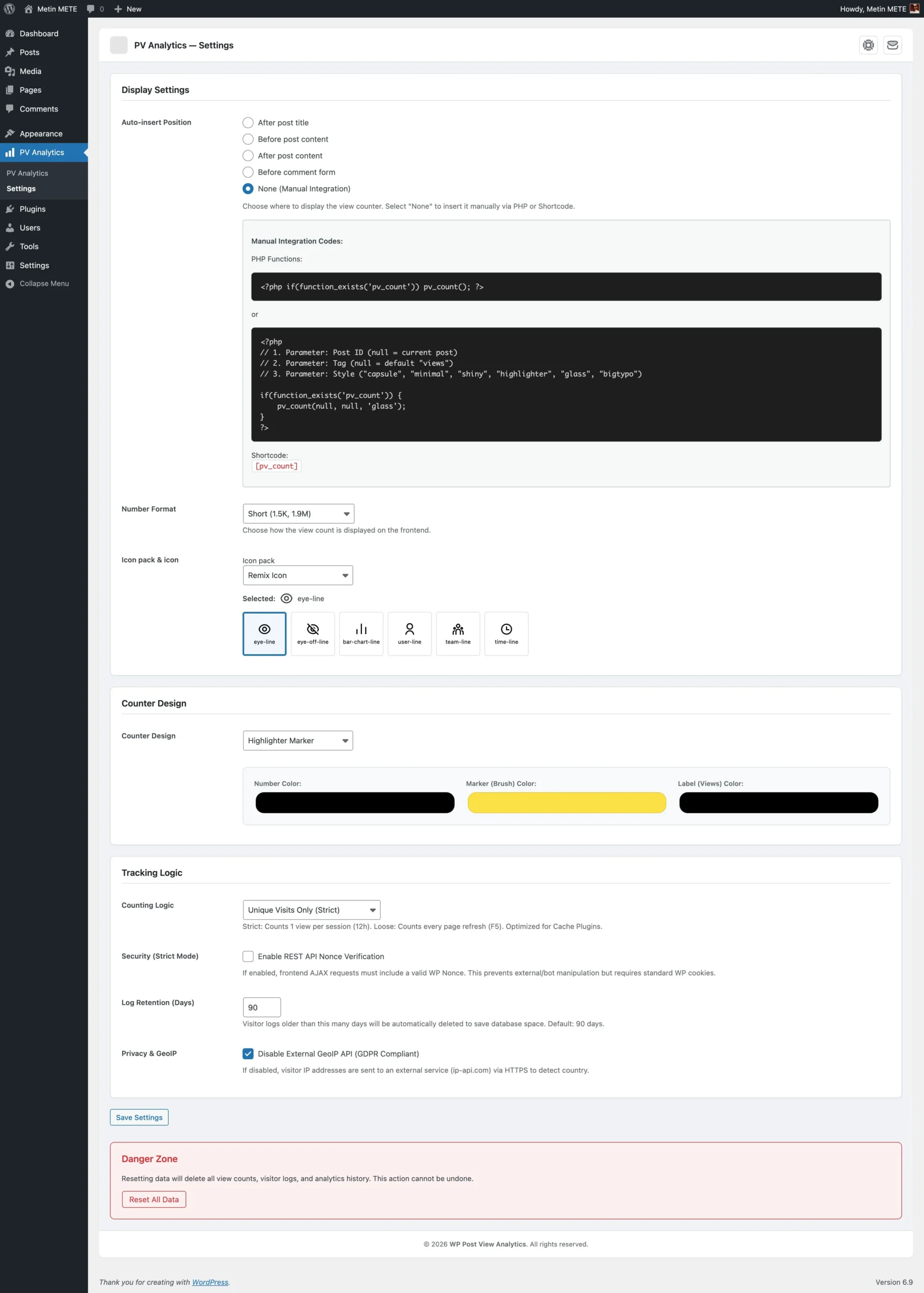
Choose automatic insertion, or insert the counter manually:
- Automatic placement options:
- after_title
- before_content
- after_content
- before_comments
- Manual
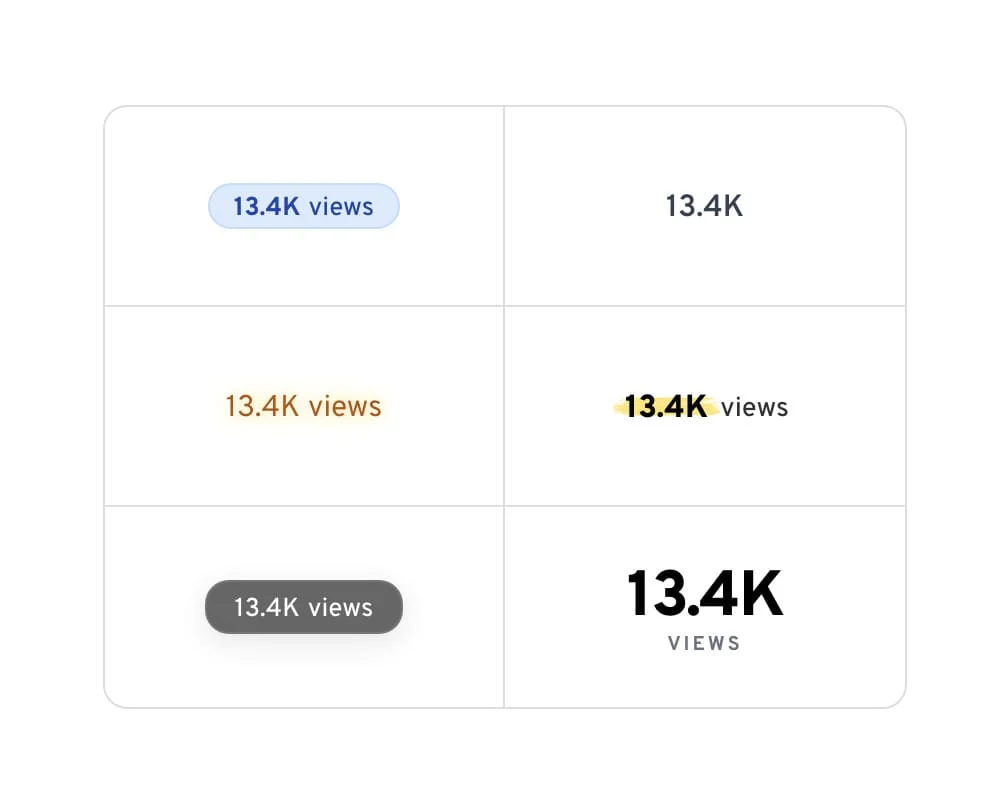
- Styling options include multiple counter looks (e.g., “capsule/minimal/shiny/highlighter/glass/big” style variants) plus color/typography controls to match your theme.
- Optional icon support:
- PV Analytics supports Font Awesome, Material Icons, Bootstrap Icons, and Remix Icon packages. PV Analytics loads the CSS for your selected icon pack via CDN.
6) Performance-oriented data model
The plugin uses two dedicated tables:
wp_pv_post_views: daily post view totals (for fast reporting)wp_pv_visitor_log: a detailed row for each view event (device/browser/country/referrer + engagement + scroll)
For fast counter output, a post meta field pv_total_views is also maintained.
Anti-spam / measurement accuracy
- Unique Mode (enabled by default): limits repeated views from the same IP for the same post within a time window (server-side transient logic).
- IWhen you disable Unique Mode, the “flood protection” mechanism helps prevent rapid refreshes from inflating counts.
Security and privacy notes (important)
- PV Analytics handles view logging and engagement updates through the REST API.
- In normal mode, PV Analytics applies basic Origin/Referer validation.
- With Strict Mode, REST requests require a nonce.
- Country detection uses a GeoIP API request by default and stores only the country code. Disable GeoIP in the settings to make the plugin use a simpler locale/language-based fallback.
- PV Analytics never stores visitor IP addresses in the database. It uses them only for unique checks and GeoIP lookups during runtime.
Who is it for?
- Bloggers & content creators (who want to see which posts readers actually read)
- SEO-focused sites (sources, device/browser distribution)
- Anyone optimizing content strategy (highlight trending content)
- UX improvement workflows (scroll + time metrics)
Quick usage
- Install and activate the plugin. Next, configure counter placement and style under PV Analytics → Settings.
- For manual counter placement:
[pv_count] - For a trending list:
[pv_trending title="Trending Posts" days="7" limit="5"] - Add the “Trending Posts” widget/block anywhere you want.
Supported Languages Languages this plugin is translated into.




Gallery Screenshots showcasing the item features.
Version HistoryAn overview of updates and improvements by version.
- Post view counter and automatic tracking system for posts
- Real-time counter updates with animated number rendering
- Engagement tracking: time on page + scroll depth measurement
- Performance-oriented data layer:
pv_post_views(daily totals)pv_visitor_log(detailed event log: device, browser, country code, referrer, engagement, scroll)pv_total_views(post meta for fast reads)
- Admin Dashboard (PV Analytics):
- Summary metrics (e.g., visits/bounce/avg time/avg scroll style KPIs)
- Time series charts
- Device split (Device Split)
- Top Countries / Top Browsers / Top Referrers
- Popular Posts list (including engagement + scroll averages)
- 7-day sparkline display on single posts (Admins only)
- Automatic counter placement options:
- after_title / before_content / after_content / before_comments / manual
- Counter styling and number formatting (standard / K-M-B)
- Icon support + icon packs:
- Font Awesome / Material Icons / Bootstrap Icons / Remix Icon
- Trending Posts ecosystem:
- Widget (list/grid/mini) + thumbnail/excerpt/meta/date options
- “HOT” badge (threshold, label, color)
- Device filter + category filter (specific/current)
- Gutenberg Block (server-side render)
- Shortcode:
[pv_trending]
- Security options:
- Normal mode Origin/Referer validation
- Strict Mode: REST nonce requirement
- Log management:
- Retention (day-based) old log cleanup (daily cron)
- Admin “reset data” (tables + meta cleanup)
- Translation-ready setup (textdomain) + JS/PHP string localization
F.A.Q. Frequently asked questions and answers for this plugin.
What does the plugin do?
Wordpress Post View Analytics counts post views and tracks engagement signals like time on page and scroll depth. It also provides an admin dashboard with popular posts and breakdowns by device, country, browser, and referrers.
How does view counting work?
Each view is recorded via REST/AJAX. If Unique mode is enabled, repeated views from the same IP for the same post within a time window are limited; if disabled, reloads are counted more freely (with flood protection still applied).
How do I display the view counter on my site?
You can auto-insert it in a chosen position (after title / before/after content / before comments). For manual placement, use the shortcode: [pv_count].
How do I show Trending/Popular posts?
Use the widget, Gutenberg block, or the shortcode: [pv_trending]. You can configure the time range and limit to display popular content on the frontend.
How does GeoIP/country tracking work and what about privacy?
If GeoIP is enabled, the plugin resolves a country code for reporting. You can disable external GeoIP in settings; IP addresses are not stored as a database column.