WordPress Contact Architect
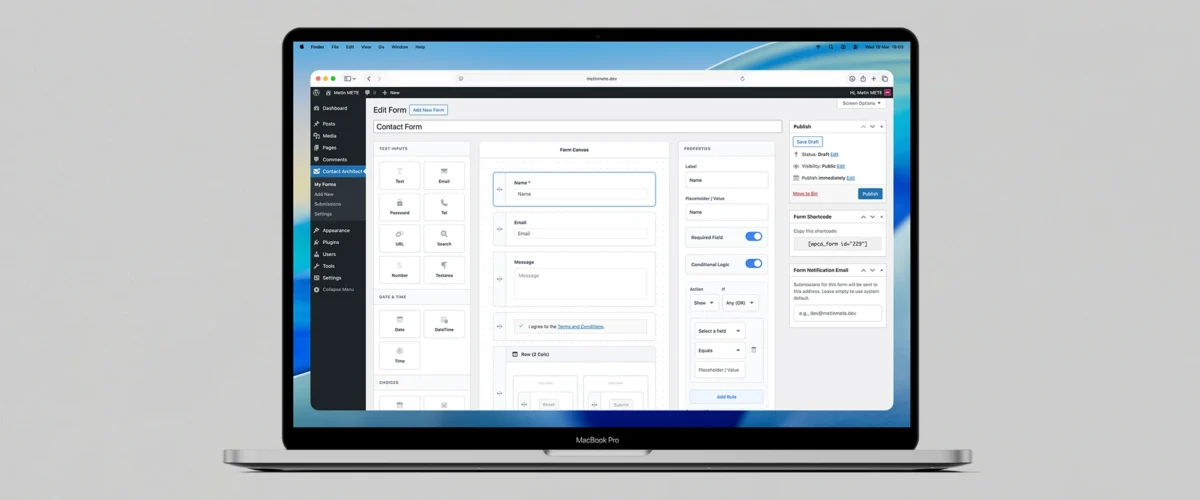
WordPress Contact Architect is an advanced form plugin for WordPress. First, it helps you build modern contact forms with a clean drag-and-drop builder. In addition, it supports multi-step flows, conditional logic, and AJAX submissions. As a result, you create smoother user experiences and collect leads more efficiently.
Instead of relying on a basic “one-size-fits-all” form, you can design structured layouts and guide visitors step by step. Moreover, the plugin adds smart validation and multiple anti-spam options to protect your inbox. Therefore, you receive cleaner submissions and improve conversions.
Key capabilities
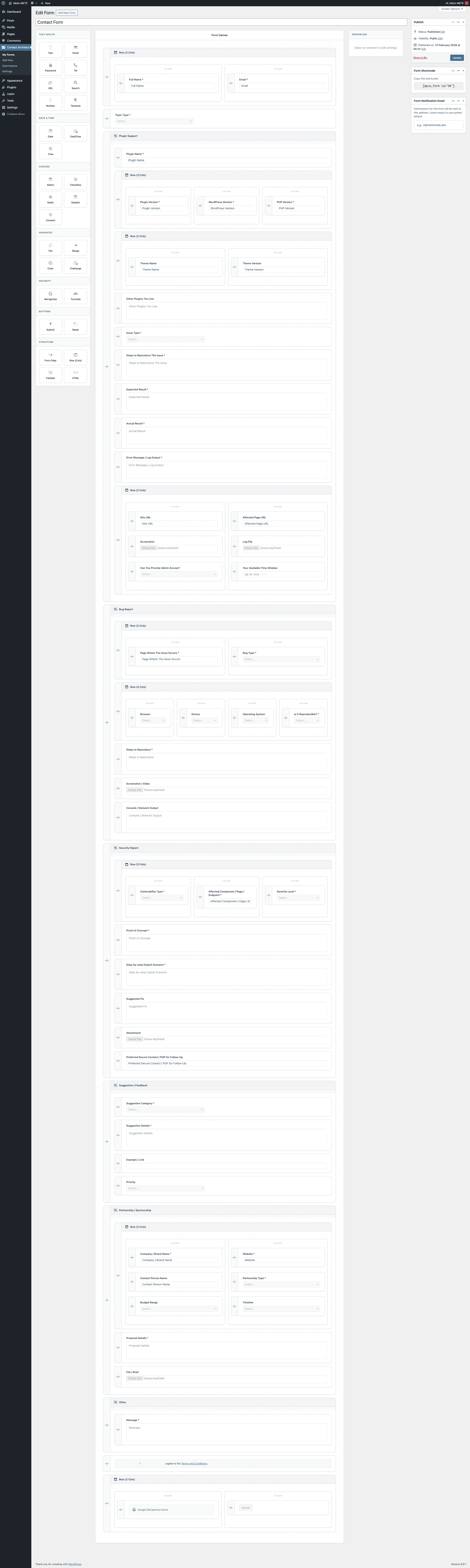
1) Drag & drop form builder (visual layout)
Build forms quickly by dragging fields into place.
Also, use layout containers like Row/Column, Fieldset, and Step. This keeps your form clean, readable, and easy to maintain.
2) Multi-step forms + step-based validation
Split long forms into steps to reduce friction.
Then, guide users with Next/Back controls. The plugin validates each step before users move forward, so they fix issues early and finish faster.
3) Conditional logic: show/hide flows
Show only the fields that matter.
You can connect visibility rules to user answers. Therefore, visitors see fewer unnecessary questions and complete the form with less effort.
4) AJAX submissions + smart validation UX
Improve the submission experience without extra complexity:
- Submit forms without reloading the page with AJAX.
- Display clearer error and success messages with smart validation.
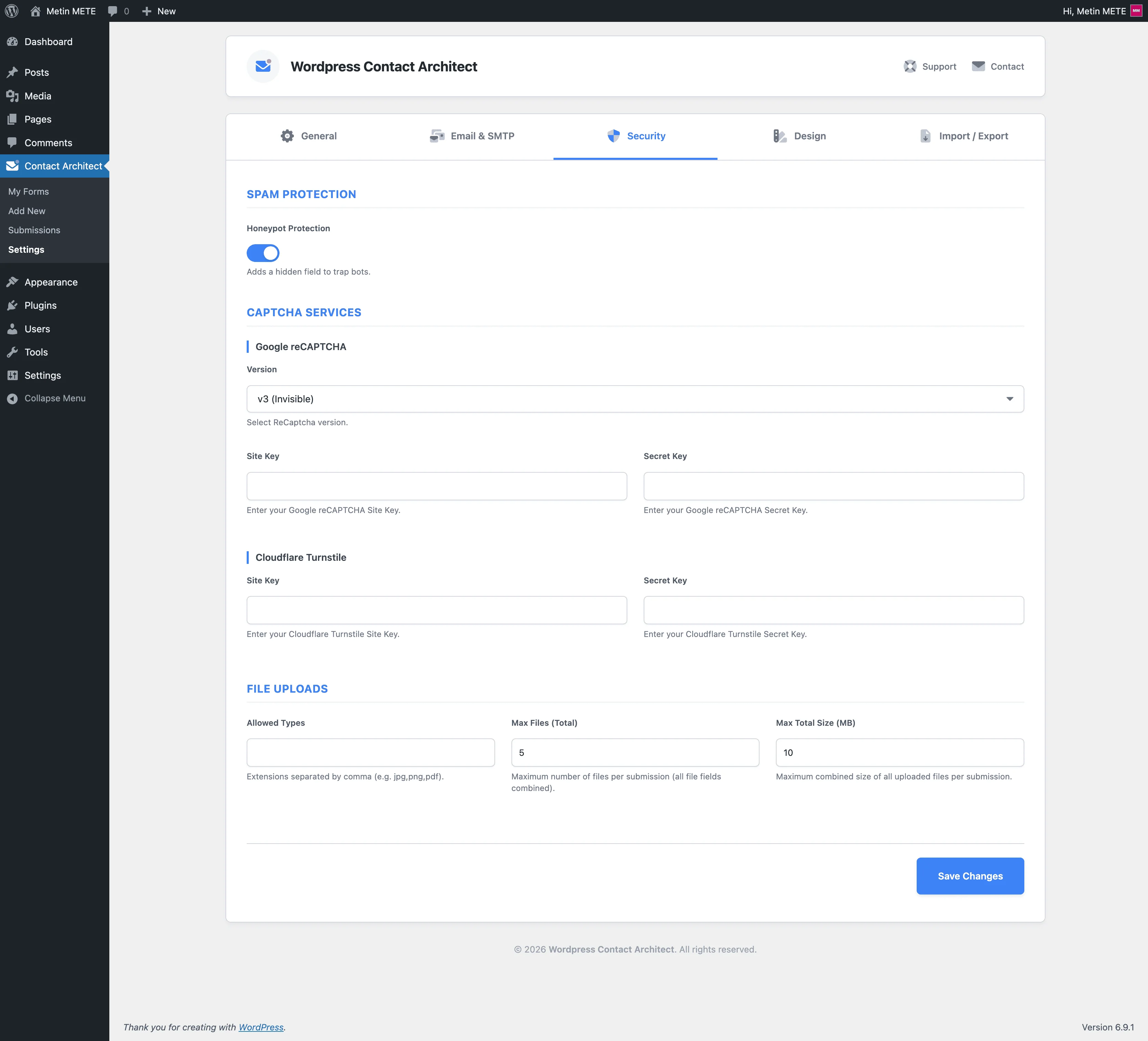
5) Anti-spam options (Honeypot + reCAPTCHA + Turnstile)
Stop bots before they reach your inbox.
Enable Honeypot for lightweight filtering. Then choose Google reCAPTCHA v2/v3 or Cloudflare Turnstile, depending on your preference.
6) File uploads + cleanup automation
Collect attachments safely when you need them.
Control file types and size limits. In addition, use scheduled cleanup to remove old uploads after your retention period.
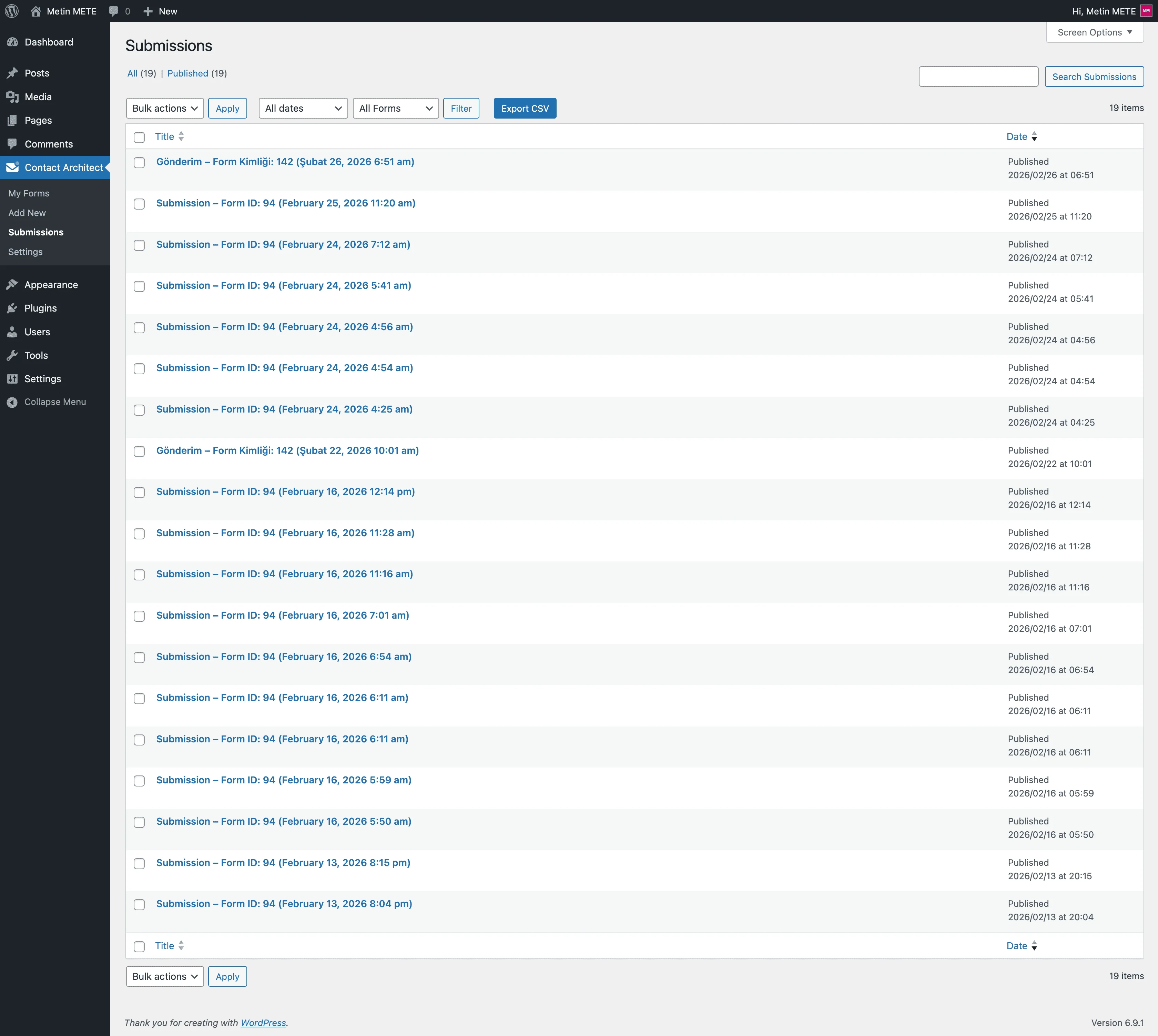
7) Submission management (store and review)
Keep a reliable record of messages.
Optionally store submissions and review them in your admin panel. This helps you track requests, follow up faster, and avoid lost emails.
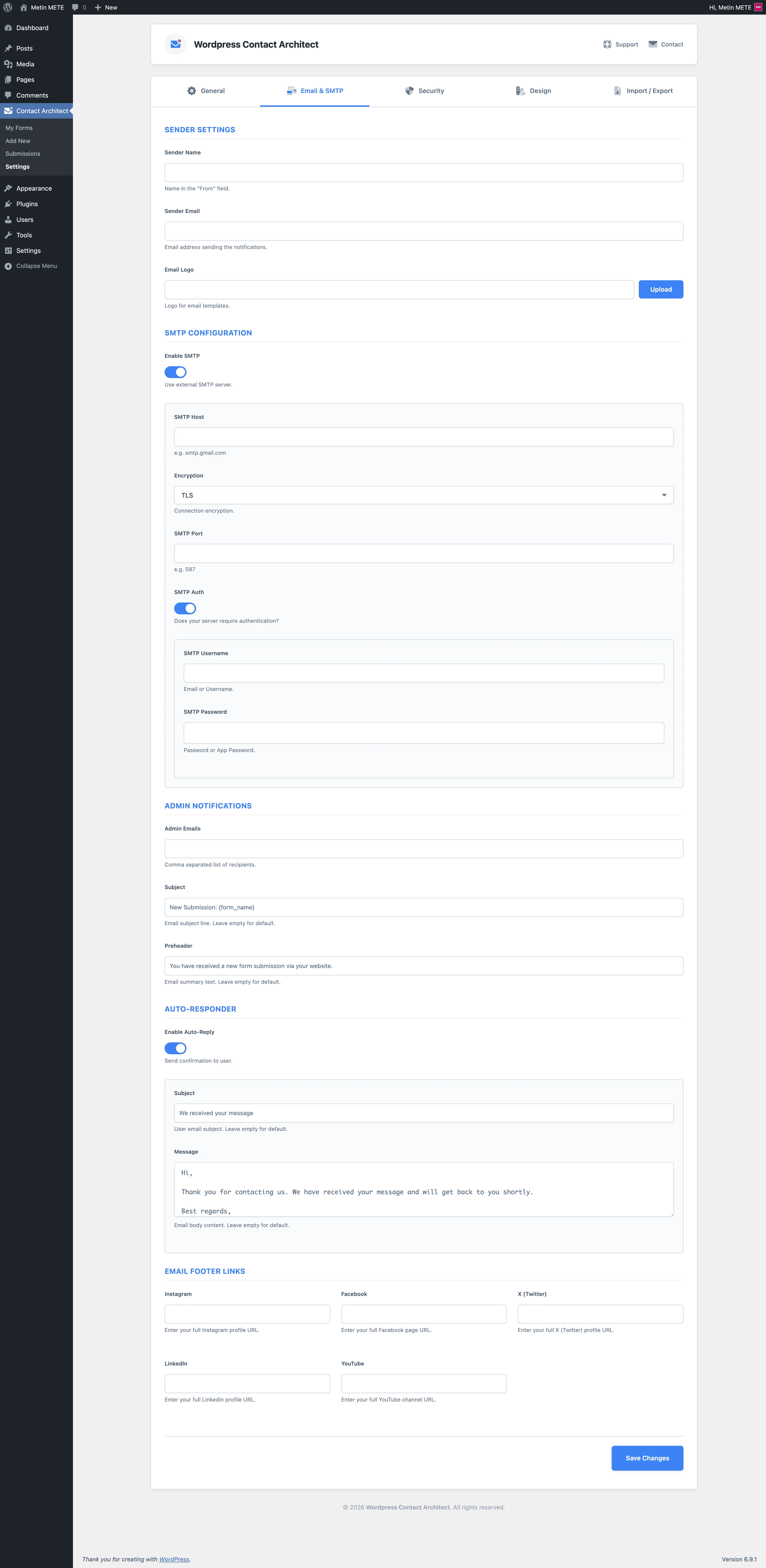
8) Email notifications + SMTP + auto-responder
Stay responsive and professional:
- Send admin notifications when someone submits a form.
- Enable SMTP for more reliable delivery.
- Send an auto-responder to confirm receipt and set expectations.
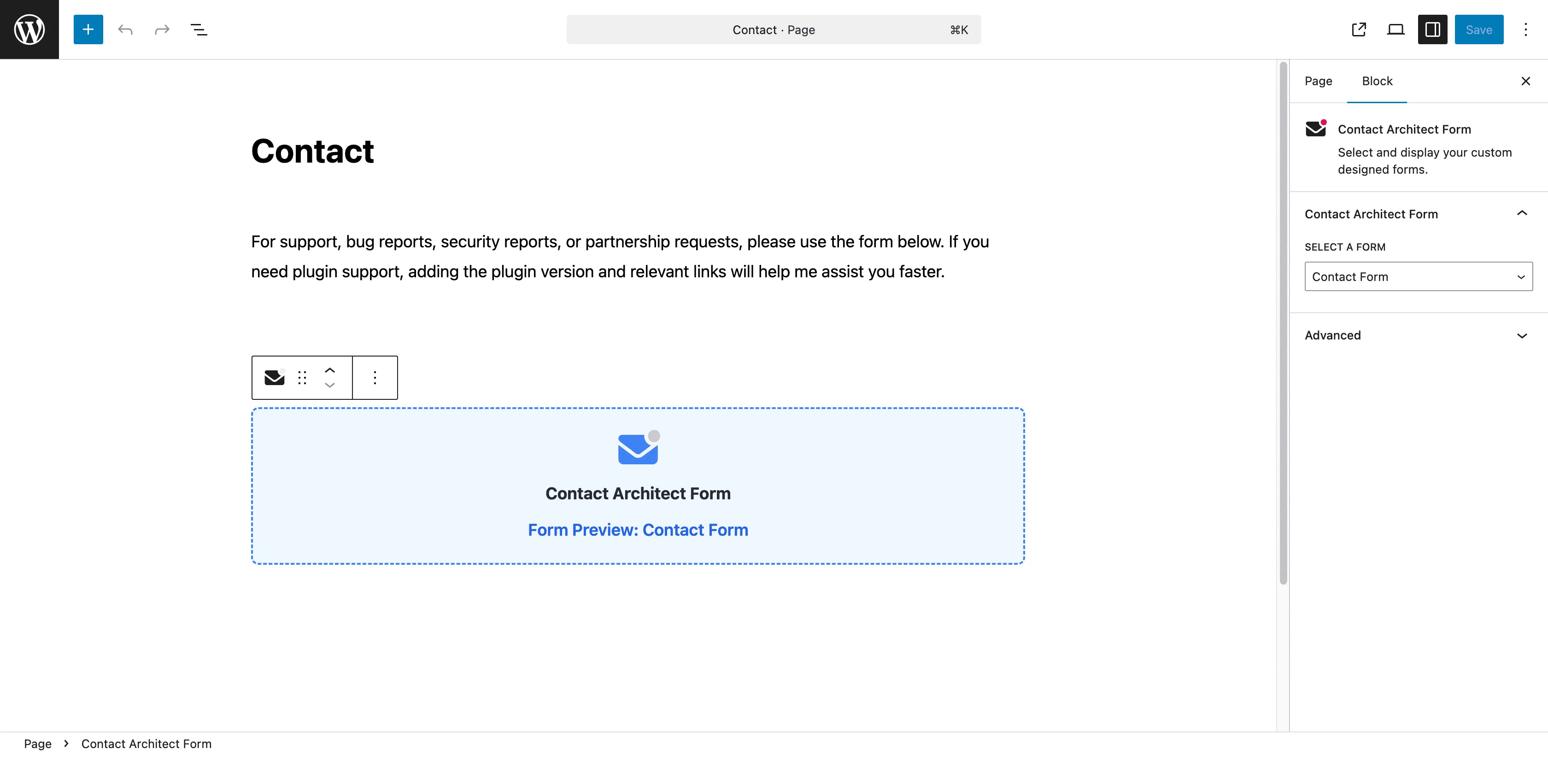
9) Easy embedding (Gutenberg block + shortcode)
Publish forms in seconds:
- Add forms with the WPCA Form Gutenberg block.
- Or embed anywhere using:
[wpca_form id="FORM_ID"]
10) Form import/export (JSON)
Move forms between sites or environments in seconds.
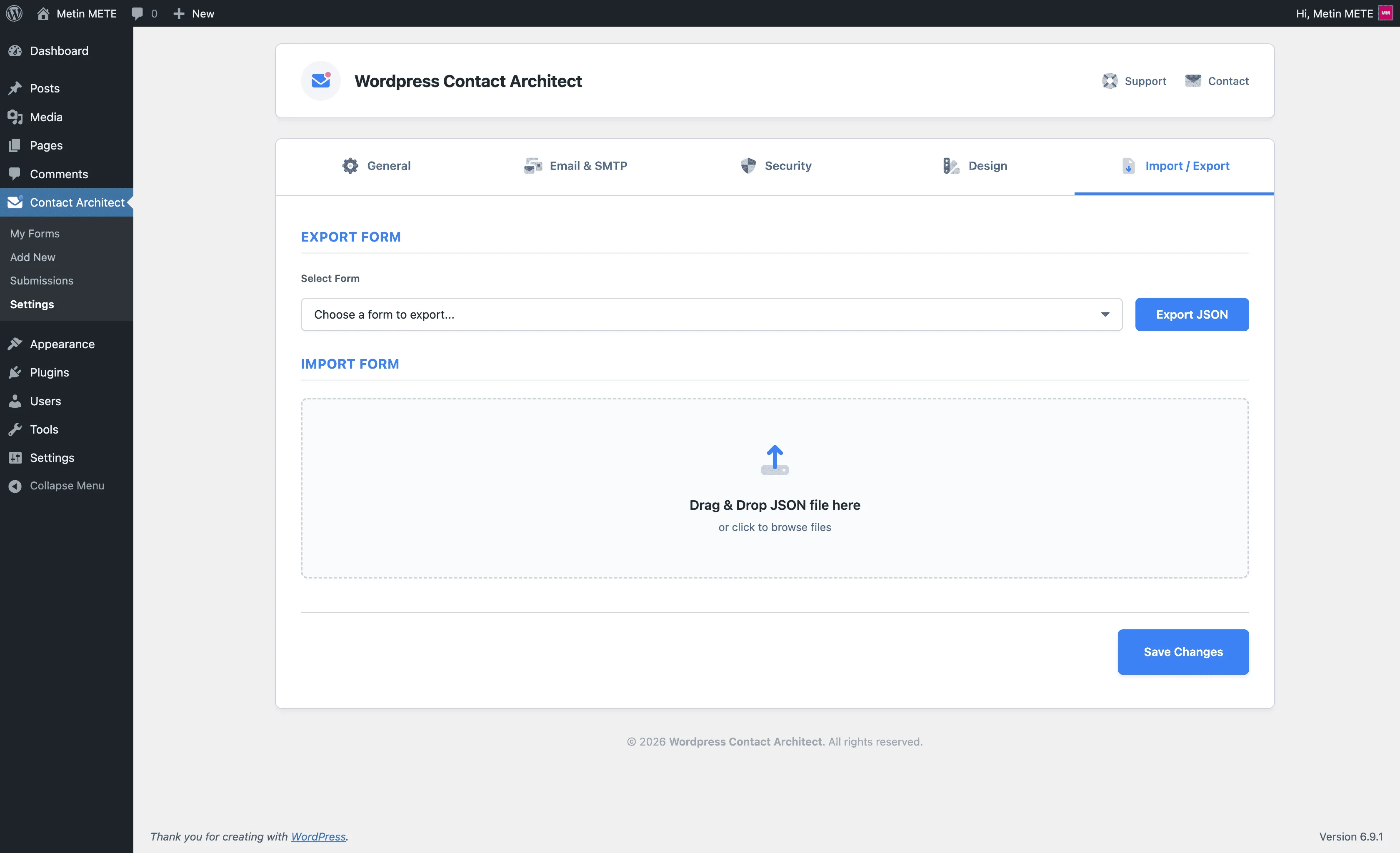
Export any form as a JSON file, then import it back to create a new form automatically. This is ideal for migrations, staging → production workflows, and sharing reusable templates.
- Export: Download a JSON file containing your form structure and key settings.
- Import: Upload a JSON file to create a new form (marked as Imported) and continue editing instantly.
11) Submissions export (CSV)
Export stored submissions for reporting or offline review.
Filter submissions by form in the admin list, then export results as CSV when you need to share data with your team or process it externally.
12) Full field list (all available form elements)
- Text Inputs: Text, Email, Password, Tel, URL, Search, Number, Textarea
- Date & Time: Date, DateTime (datetime-local), Time
- Choices: Select, Checkbox, Radio, Datalist, Consent
- Advanced: File, Range, Color, Challenge
- Security: reCAPTCHA, Turnstile
- Buttons: Submit, Reset
- Structure: Form Step, Row (Cols), Fieldset, HTML
Quick usage
- Install and activate the plugin.
- Create a new form in the admin area and design it with the builder.
- Add the form using the WPCA Form block or the shortcode
[wpca_form id="123"]. - Configure spam protection (Honeypot / reCAPTCHA / Turnstile) and email options (SMTP / auto-responder) as needed.
- To migrate or reuse forms, use Form Export (JSON) and Form Import (JSON). If submission storage is enabled, you can also export entries as CSV.
Supported Languages Languages this plugin is translated into.










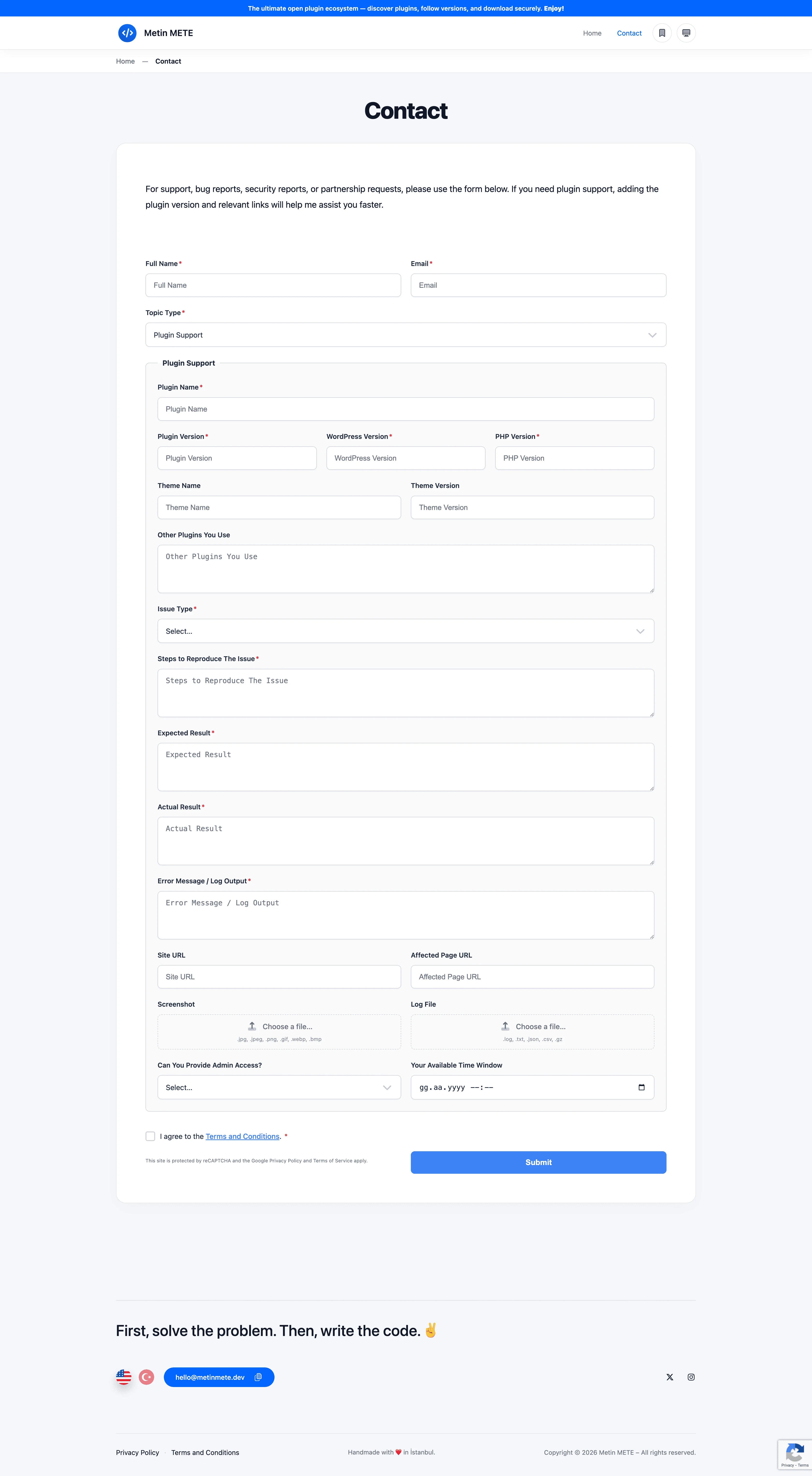
Gallery Screenshots showcasing the item features.
Version HistoryAn overview of updates and improvements by version.
- New Form Element: Context Meta (Dynamic Page Title)
- Smart Page Data: A new field type was integrated that automatically captures the title of the page where the form is embedded and adds it to the email subject.
- Visibility Control: It was enabled for the element to work as "Hidden" by default or to be set as "Visible" (disabled input).
- Product-Focused Usage: It was enabled to easily identify which source the data came from by using a single form on different pages (for example, product pages).
- Form Builder User Experience Improvements
- Quick Add Item: The feature was introduced to instantly add form elements from the library to the Canvas area simply by double-clicking.
- Sticky Selector (Quick Access): An option was provided to add items via a selectbox fixed at the top of the screen, eliminating the need to scroll down as the form grows.
- Notification System and Counter Management
- Multi-Channel Counter Information: As soon as the form is submitted, red notification badges were activated on the Admin Bar (top bar) and the left plugin menu.
- Submission Status Management: It was enabled to manually mark records in the submissions list as "Read" or "Unread".
- Dynamic Filtering: Filter tabs were added to the top of the list table to separate "Read" and "Unread" submissions with a single click.
- Performance and Architecture Improvements
- Transient API Integration: To minimize database queries, counter and list data were cached, and page load speed was optimized.
- Smart Cache Reset: An automatic cache reset mechanism was set up to instantly update counters when a form is submitted or a status changes.
- Code Optimization: Admin panel CSS files were minified to improve browser performance and hidden character errors were cleaned up.
- Advanced drag-and-drop form builder (Admin)
- Field library with categorized components (text inputs, date/time, choice fields, uploads, content blocks, etc.)
- Live builder UI with structured JSON storage per form
- Form tools: import/export support for moving forms between sites
- Layout & multi-step form system
- Containers: fieldset / row / column / step
- Step-based navigation with Previous / Next flow support
- Step-based validation to reduce friction on long forms
- Conditional logic
- Show/hide fields based on other field values (conditional fields rendered with logic metadata)
- AJAX submissions + smart validation UX
- Frontend AJAX submit flow with dynamic success/error messaging
- Server-side validation + sanitization (email/url/number min-max checks)
- Frontend UI helpers (custom select, datalist, range/color helpers, file input UX)
- Spam protection & security layer
- Nonce validation for all submissions
- Optional honeypot protection
- Built-in challenge (Q&A) field type for additional anti-bot protection
- Google reCAPTCHA support: v2 (checkbox) + v3 (score/action validation)
- Cloudflare Turnstile support
- File uploads with hard limits & safe storage
- Allowed extensions control (e.g., jpg,png,pdf)
- Per-file size limit + total file count limit per submission
- Total combined upload size limit per submission
- Dedicated uploads directory protection (
index.php+.htaccess) - Automated retention cleanup (daily cron, day-based)
- Email & SMTP system
- Admin notification email delivery with Reply-To auto-detection (finds user email field)
- Per-form custom recipient override (meta box)
- Optional auto-responder to the submitter
- SMTP support (host/port/encryption/auth) via PHPMailer initialization hooks
- Mail failure logging hook for debugging
- Branded email controls (logo + preheader + social links)
- Submission management (dashboard + export)
- Optional database storage for entries (Submissions CPT)
- Submission detail view (payload table)
- Admin filtering by form
- One-click CSV export from submissions list
- Form import/export (JSON)
- Export any form as a JSON file (includes form title, structure, and key settings)
- Import JSON to create a new form automatically (imported forms are labeled as (Imported))
- Version metadata included in exports (
wpca_export_version) for compatibility tracking
- Form embedding & performance
- Shortcode support:
[wpca_form id="123"] - Gutenberg block integration (server-side render)
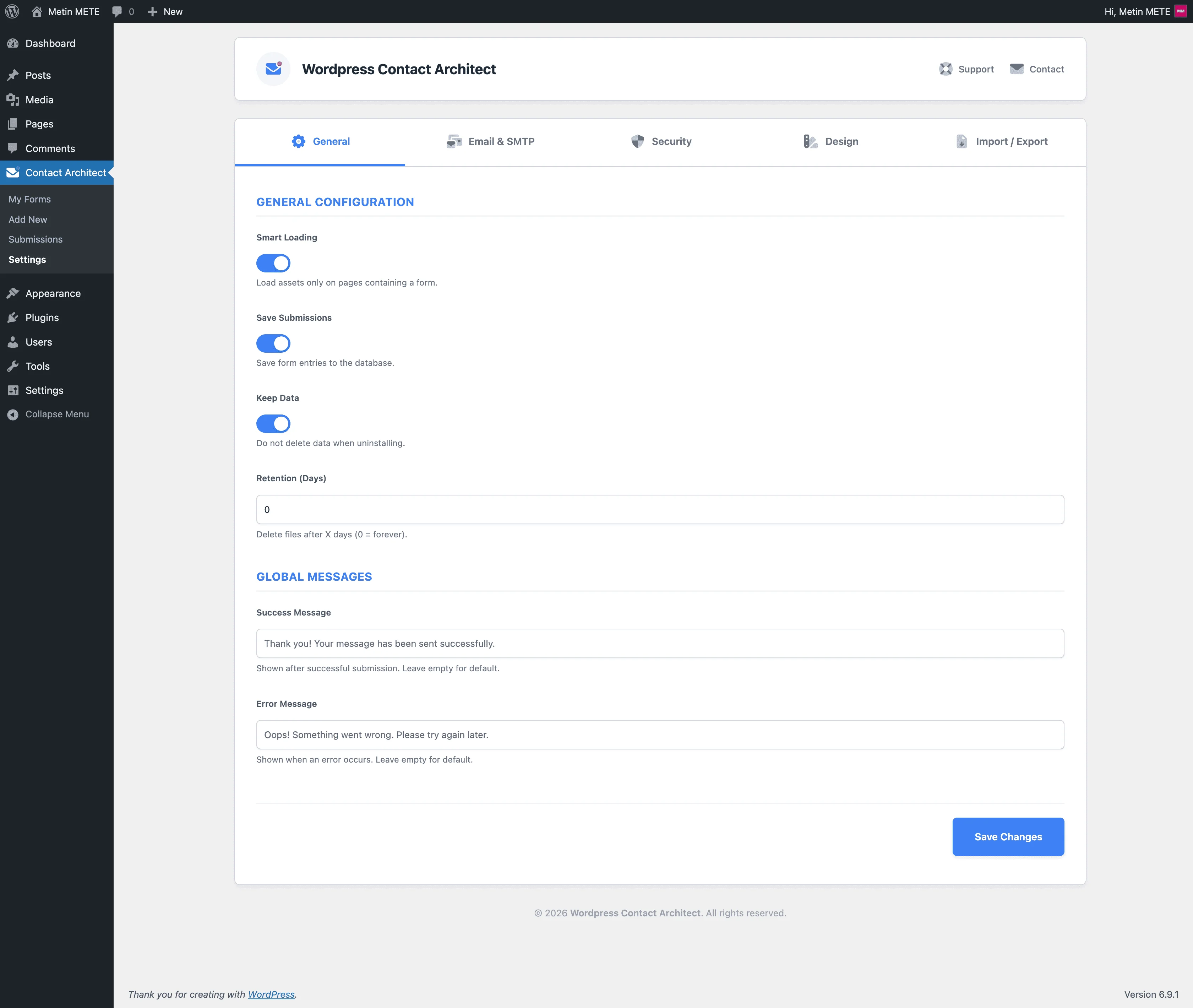
- Smart Loading option: load assets only on pages containing a form (shortcode/block)
- Render-time fallback hook to guarantee assets are loaded when needed
- Shortcode support:
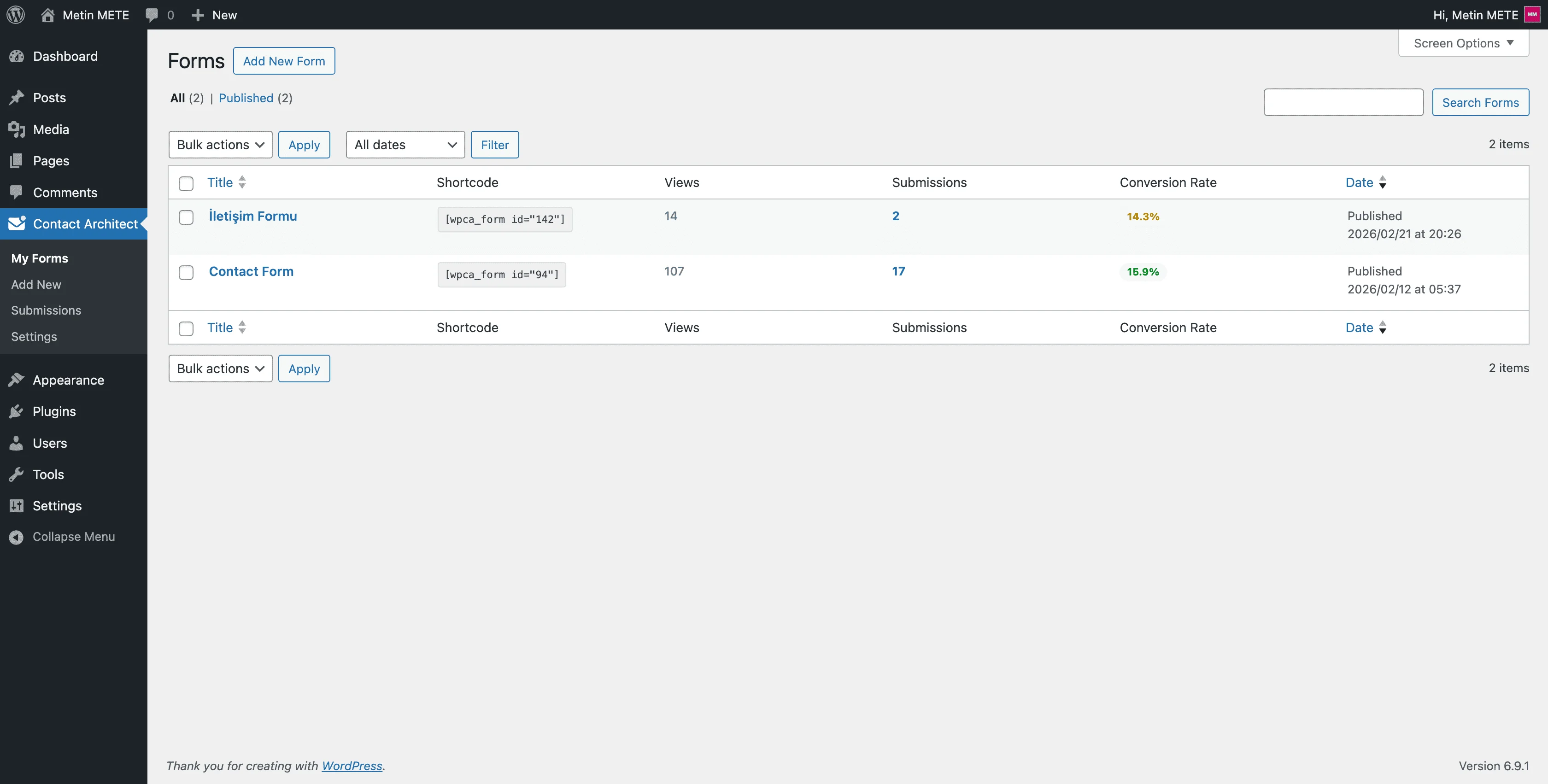
- Form analytics (lightweight)
- View counter (IP-throttled window to reduce duplicate counts)
- Submission counter + conversion rate shown in admin forms list table
- Customization & localization readiness
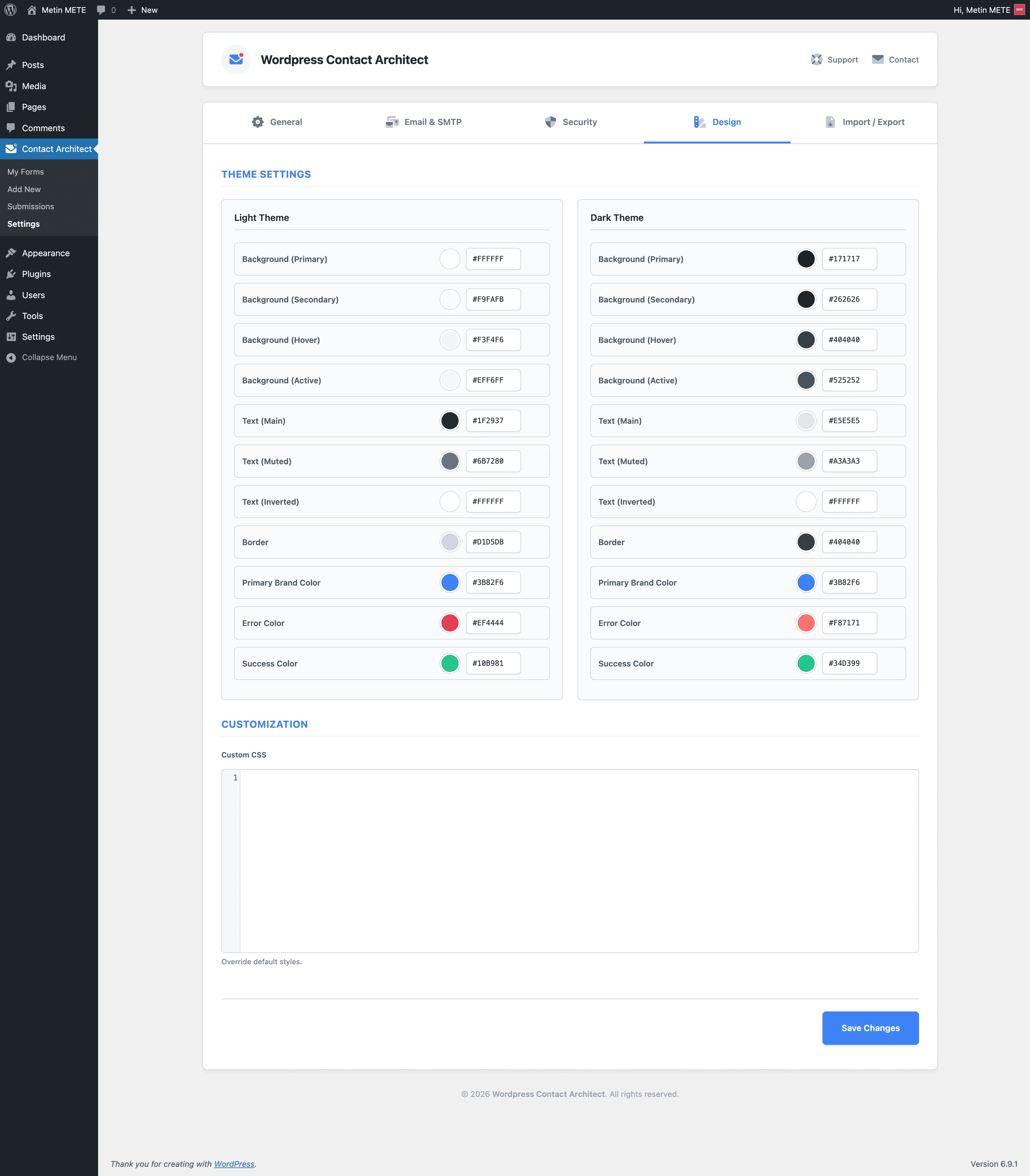
- Dynamic CSS variables + theme-aware UI behavior
- Custom CSS injection from Settings (applied on frontend)
- Translation-ready setup (textdomain) + JS/PHP string localization
- Plugin updates (remote JSON updater)
- Remote JSON-based update checks for the plugin
- Update details support for the WordPress admin “View details” popup
- Cache layer to reduce repeated remote requests
F.A.Q. Frequently asked questions and answers for this plugin.
How do I embed a form on my website?
You can embed a form in two ways:
- Shortcode: Add
[wpca_form id="FORM_ID"]into any page/post content. - Gutenberg Block: In the block editor, insert the WPCA Form block and select your form.
Why am I not receiving admin notification emails?
First, check these common points:
- Confirm the recipient email in the form settings (or the per-form recipient override).
- Check your site’s email delivery (SMTP recommended).
- Review your mail logs (if enabled) to see whether sending failed or was blocked by the server.
Does the plugin support reCAPTCHA v2, reCAPTCHA v3, and Turnstile?
Yes. You can enable spam protection from Settings > Security and choose:
- Google reCAPTCHA v2 (checkbox)
- Google reCAPTCHA v3 (score/action validation)
- Cloudflare Turnstile
How do file uploads work, and how can I limit them?
File uploads are supported with safety controls. You can configure:
- Allowed file extensions (e.g., jpg, png, pdf)
- Max file size per file
- Max number of files per submission
- Max total upload size per submission
Uploads are stored in a protected directory, and old files can be cleaned automatically via retention rules.
Can I create multi-step forms and conditional fields?
Yes. You can build multi-step forms using step containers and enable conditional logic to show/hide fields based on user input. This helps keep forms shorter and more user-friendly while collecting only relevant information.
You May Also LikeRecommended content related to this item.